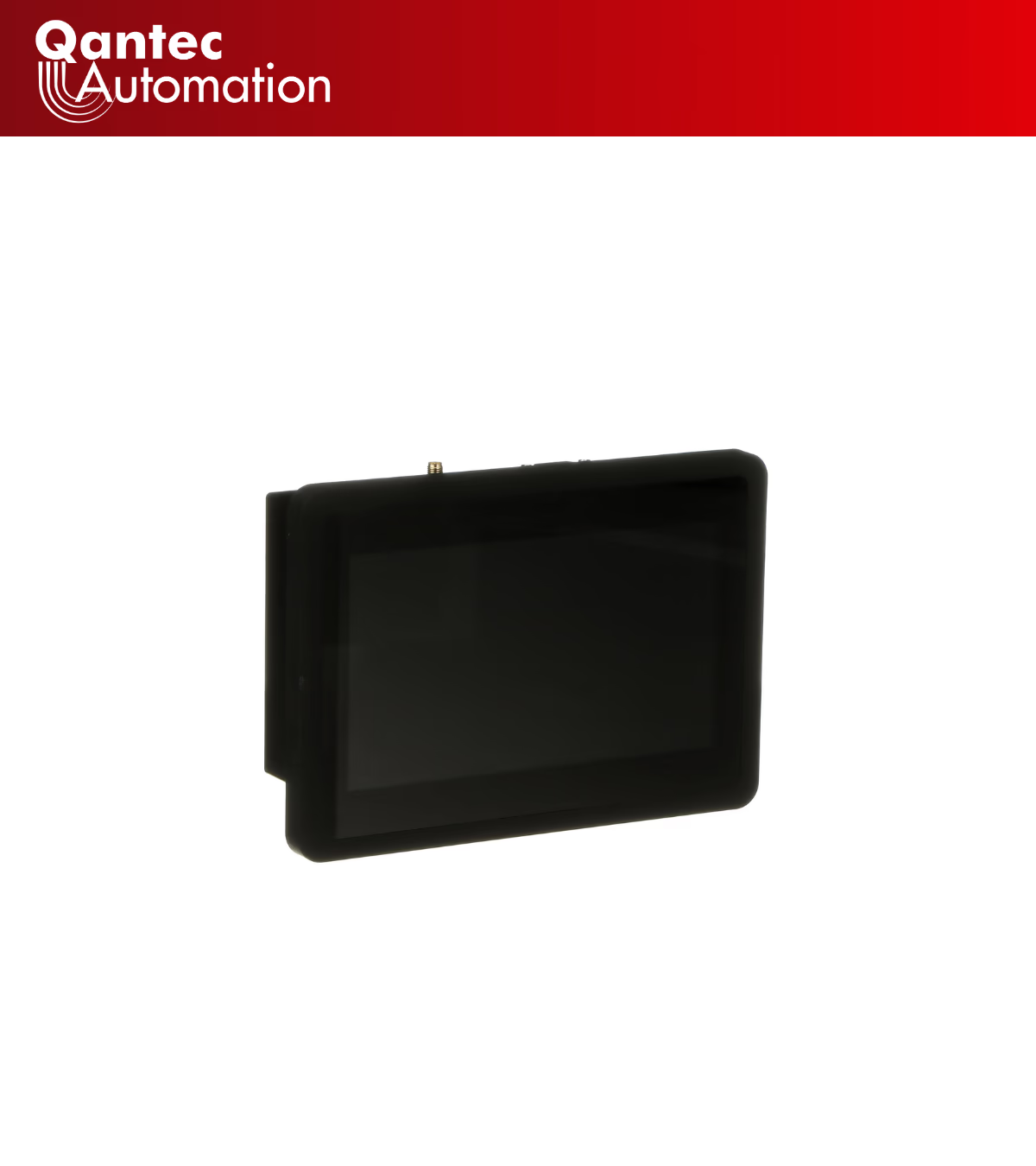
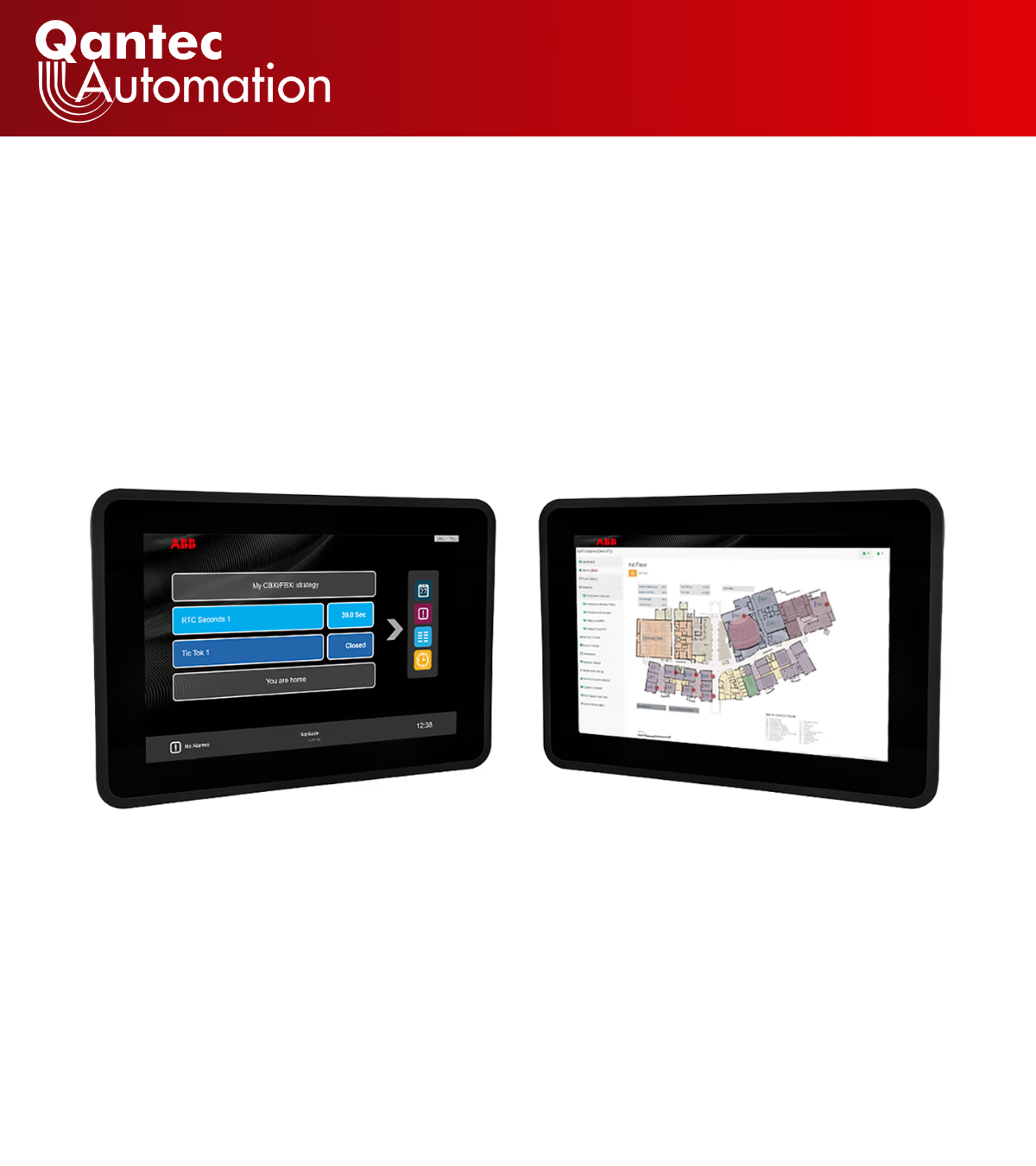
HMI Display Touch Screen Panels for BMS Control
Australian-stocked ABB Cylon® eXplore HMI display touch screen panels that surface BACnet (Building Automation and Control network) points, alarms and trends from your building management system (BMS). Genuine 7-inch and 10.1-inch IP65-front operator displays, supplied by the authorised Australian distributor.
▶ Request Trade Pricing ▶ Download the eXplore Data Sheet
SECTION 3 — CATEGORY INTRODUCTION
Qantec Automation is the authorised ABB Cylon distributor in Australia and a sister company within the Oberix Group, supplying genuine building automation hardware to systems integrators and facility teams. This sub-category covers operator HMI display panels — the wall- and panel-mounted touch screens that visualise live points, schedules, datalogs and setpoints from an ABB Cylon BMS site over IP. Both eXplore models are held in Australian stock with local pre-sales and commissioning support, so projects avoid offshore lead times.
SECTION 4 — PRODUCTS IN THIS CATEGORY
SECTION 5 — PRODUCT GRID
SECTION 6 — MID-PAGE CTA
Need a BMS Display Spec'd for Your Site?
Send us the controller platform and panel cutout, and we'll confirm the right HMI display size and mounting before you order. Australian stock, genuine ABB Cylon hardware, and trade pricing for integrators.
▶ Get Trade Pricing & Stock
SECTION 7 — DETAILED CONTENT
On this page: BMS HMI Display Fundamentals · eXplore-c7 · eXplore-c10 · BACnet Display Integration · Australian Compliance · Why Qantec · Network Security · FAQ
BMS HMI Display Fundamentals for BACnet
A BMS HMI display is a wall- or panel-mounted operator touch screen that renders live points, alarms, trends and setpoints from a building management system over an IP network. BACnet, standardised as ASHRAE Standard 135, is the protocol these displays read, and the ABB Cylon eXplore range surfaces controller data through an auto-generated HTML5 interface or menu-driven SiteGuide views. Critically, an HMI display unit is a front-end, not a controller — it visualises and adjusts the points held by field hardware, but runs no control strategy of its own.
That distinction shapes how the HMI display is specified. On an HMI display panel, screen size, IP rating, mounting standard and the controller it pairs with matter far more than headline graphics. The two ABB HMI display models below cover the typical span from a tight plant-room riser to a shared front-office head-end. Across both sizes, the BMS display gives site teams one real-time view of plant without a separate workstation.
ABB eXplore-c7 (1S9KS707) 7-Inch Panel
The ABB eXplore-c7 is a 7-inch (177.8 mm) operator touch screen with a 1024 × 600 projected-capacitive 10-point multitouch panel and an IP65-rated front for plant-room mounting. This 7-inch HMI display unit draws roughly 8 W, ships with a universal 100–240 V AC supply delivering 12 V DC. The HMI display panel mounts via VESA 75 or the supplied panel bracket. Wired to a CBXi-series controller, the HMI display presents pre-configured SiteGuide menus of the controller's points; pointed at a Cylon ASPECT® Control Engine it renders an automatically generated HTML5 interface with no extra development. Specifications are confirmed against the official ABB eXplore product page.
ABB eXplore-c10 (1S9KS700) 10-Inch Panel
The ABB eXplore-c10 steps up to a 10.1-inch (256.5 mm) screen at 1280 × 800 with a 16.7-million-colour panel and wider 170° / 170° viewing angles for shared front-office or BMS head-end use. Power draw is about 11 W at 12 V DC, net weight is 2 kg, and the housing is VESA 100 compliant. Both units share an Allwinner® V40 quad-core processor with integrated 10/100 Mbps Ethernet and Wi-Fi, so the larger HMI display panel suits reception dashboards while the smaller HMI display fits tight risers and plant cupboards.
The two models compare directly across the parameters that drive panel selection:
| <w:shd w:fill="1f4e79" w:val="clear"/><w:tcMar><w:top w:w="40.0" w:type="dxa"/><w:left w:w="80.0" w:type="dxa"/><w:bottom w:w="40.0" w:type="dxa"/><w:right w:w="80.0" w:type="dxa"/></w:tcMar></w:tcPr><w:p w:rsidR="00000000" w:rsidDel="00000000" w:rsidP="00000000" w:rsidRDefault="00000000" w:rsidRPr="00000000" w14:paraId="00000020"><w:pPr><w:rPr/></w:pPr><w:r w:rsidDel="00000000" w:rsidR="00000000" w:rsidRPr="00000000"><w:rPr><w:b w:val="1"/><w:bCs w:val="1"/><w:color w:val="ffffff"/><w:sz w:val="19"/><w:szCs w:val="19"/><w:rtl w:val="0"/></w:rPr><w:t xml:space="preserve">Parameter | <w:shd w:fill="1f4e79" w:val="clear"/><w:tcMar><w:top w:w="40.0" w:type="dxa"/><w:left w:w="80.0" w:type="dxa"/><w:bottom w:w="40.0" w:type="dxa"/><w:right w:w="80.0" w:type="dxa"/></w:tcMar></w:tcPr><w:p w:rsidR="00000000" w:rsidDel="00000000" w:rsidP="00000000" w:rsidRDefault="00000000" w:rsidRPr="00000000" w14:paraId="00000021"><w:pPr><w:rPr/></w:pPr><w:r w:rsidDel="00000000" w:rsidR="00000000" w:rsidRPr="00000000"><w:rPr><w:b w:val="1"/><w:bCs w:val="1"/><w:color w:val="ffffff"/><w:sz w:val="19"/><w:szCs w:val="19"/><w:rtl w:val="0"/></w:rPr><w:t xml:space="preserve">ABB eXplore-c7 (1S9KS707) | <w:shd w:fill="1f4e79" w:val="clear"/><w:tcMar><w:top w:w="40.0" w:type="dxa"/><w:left w:w="80.0" w:type="dxa"/><w:bottom w:w="40.0" w:type="dxa"/><w:right w:w="80.0" w:type="dxa"/></w:tcMar></w:tcPr><w:p w:rsidR="00000000" w:rsidDel="00000000" w:rsidP="00000000" w:rsidRDefault="00000000" w:rsidRPr="00000000" w14:paraId="00000022"><w:pPr><w:rPr/></w:pPr><w:r w:rsidDel="00000000" w:rsidR="00000000" w:rsidRPr="00000000"><w:rPr><w:b w:val="1"/><w:bCs w:val="1"/><w:color w:val="ffffff"/><w:sz w:val="19"/><w:szCs w:val="19"/><w:rtl w:val="0"/></w:rPr><w:t xml:space="preserve">ABB eXplore-c10 (1S9KS700) |
|---|---|---|
| <w:tcMar><w:top w:w="30.0" w:type="dxa"/><w:left w:w="80.0" w:type="dxa"/><w:bottom w:w="30.0" w:type="dxa"/><w:right w:w="80.0" w:type="dxa"/></w:tcMar></w:tcPr><w:p w:rsidR="00000000" w:rsidDel="00000000" w:rsidP="00000000" w:rsidRDefault="00000000" w:rsidRPr="00000000" w14:paraId="00000023"><w:pPr><w:rPr/></w:pPr><w:r w:rsidDel="00000000" w:rsidR="00000000" w:rsidRPr="00000000"><w:rPr><w:b w:val="1"/><w:bCs w:val="1"/><w:sz w:val="18"/><w:szCs w:val="18"/><w:rtl w:val="0"/></w:rPr><w:t xml:space="preserve">Screen diagonal | <w:tcMar><w:top w:w="30.0" w:type="dxa"/><w:left w:w="80.0" w:type="dxa"/><w:bottom w:w="30.0" w:type="dxa"/><w:right w:w="80.0" w:type="dxa"/></w:tcMar></w:tcPr><w:p w:rsidR="00000000" w:rsidDel="00000000" w:rsidP="00000000" w:rsidRDefault="00000000" w:rsidRPr="00000000" w14:paraId="00000024"><w:pPr><w:rPr/></w:pPr><w:r w:rsidDel="00000000" w:rsidR="00000000" w:rsidRPr="00000000"><w:rPr><w:b w:val="0"/><w:bCs w:val="0"/><w:sz w:val="18"/><w:szCs w:val="18"/><w:rtl w:val="0"/></w:rPr><w:t xml:space="preserve">7 in (177.8 mm) | <w:tcMar><w:top w:w="30.0" w:type="dxa"/><w:left w:w="80.0" w:type="dxa"/><w:bottom w:w="30.0" w:type="dxa"/><w:right w:w="80.0" w:type="dxa"/></w:tcMar></w:tcPr><w:p w:rsidR="00000000" w:rsidDel="00000000" w:rsidP="00000000" w:rsidRDefault="00000000" w:rsidRPr="00000000" w14:paraId="00000025"><w:pPr><w:rPr/></w:pPr><w:r w:rsidDel="00000000" w:rsidR="00000000" w:rsidRPr="00000000"><w:rPr><w:b w:val="0"/><w:bCs w:val="0"/><w:sz w:val="18"/><w:szCs w:val="18"/><w:rtl w:val="0"/></w:rPr><w:t xml:space="preserve">10.1 in (256.5 mm) |
| <w:shd w:fill="f2f5f9" w:val="clear"/><w:tcMar><w:top w:w="30.0" w:type="dxa"/><w:left w:w="80.0" w:type="dxa"/><w:bottom w:w="30.0" w:type="dxa"/><w:right w:w="80.0" w:type="dxa"/></w:tcMar></w:tcPr><w:p w:rsidR="00000000" w:rsidDel="00000000" w:rsidP="00000000" w:rsidRDefault="00000000" w:rsidRPr="00000000" w14:paraId="00000026"><w:pPr><w:rPr/></w:pPr><w:r w:rsidDel="00000000" w:rsidR="00000000" w:rsidRPr="00000000"><w:rPr><w:b w:val="1"/><w:bCs w:val="1"/><w:sz w:val="18"/><w:szCs w:val="18"/><w:rtl w:val="0"/></w:rPr><w:t xml:space="preserve">Resolution | <w:shd w:fill="f2f5f9" w:val="clear"/><w:tcMar><w:top w:w="30.0" w:type="dxa"/><w:left w:w="80.0" w:type="dxa"/><w:bottom w:w="30.0" w:type="dxa"/><w:right w:w="80.0" w:type="dxa"/></w:tcMar></w:tcPr><w:p w:rsidR="00000000" w:rsidDel="00000000" w:rsidP="00000000" w:rsidRDefault="00000000" w:rsidRPr="00000000" w14:paraId="00000027"><w:pPr><w:rPr/></w:pPr><w:r w:rsidDel="00000000" w:rsidR="00000000" w:rsidRPr="00000000"><w:rPr><w:b w:val="0"/><w:bCs w:val="0"/><w:sz w:val="18"/><w:szCs w:val="18"/><w:rtl w:val="0"/></w:rPr><w:t xml:space="preserve">1024 × 600 | <w:shd w:fill="f2f5f9" w:val="clear"/><w:tcMar><w:top w:w="30.0" w:type="dxa"/><w:left w:w="80.0" w:type="dxa"/><w:bottom w:w="30.0" w:type="dxa"/><w:right w:w="80.0" w:type="dxa"/></w:tcMar></w:tcPr><w:p w:rsidR="00000000" w:rsidDel="00000000" w:rsidP="00000000" w:rsidRDefault="00000000" w:rsidRPr="00000000" w14:paraId="00000028"><w:pPr><w:rPr/></w:pPr><w:r w:rsidDel="00000000" w:rsidR="00000000" w:rsidRPr="00000000"><w:rPr><w:b w:val="0"/><w:bCs w:val="0"/><w:sz w:val="18"/><w:szCs w:val="18"/><w:rtl w:val="0"/></w:rPr><w:t xml:space="preserve">1280 × 800 |
| <w:tcMar><w:top w:w="30.0" w:type="dxa"/><w:left w:w="80.0" w:type="dxa"/><w:bottom w:w="30.0" w:type="dxa"/><w:right w:w="80.0" w:type="dxa"/></w:tcMar></w:tcPr><w:p w:rsidR="00000000" w:rsidDel="00000000" w:rsidP="00000000" w:rsidRDefault="00000000" w:rsidRPr="00000000" w14:paraId="00000029"><w:pPr><w:rPr/></w:pPr><w:r w:rsidDel="00000000" w:rsidR="00000000" w:rsidRPr="00000000"><w:rPr><w:b w:val="1"/><w:bCs w:val="1"/><w:sz w:val="18"/><w:szCs w:val="18"/><w:rtl w:val="0"/></w:rPr><w:t xml:space="preserve">Colours | <w:tcMar><w:top w:w="30.0" w:type="dxa"/><w:left w:w="80.0" w:type="dxa"/><w:bottom w:w="30.0" w:type="dxa"/><w:right w:w="80.0" w:type="dxa"/></w:tcMar></w:tcPr><w:p w:rsidR="00000000" w:rsidDel="00000000" w:rsidP="00000000" w:rsidRDefault="00000000" w:rsidRPr="00000000" w14:paraId="0000002A"><w:pPr><w:rPr/></w:pPr><w:r w:rsidDel="00000000" w:rsidR="00000000" w:rsidRPr="00000000"><w:rPr><w:b w:val="0"/><w:bCs w:val="0"/><w:sz w:val="18"/><w:szCs w:val="18"/><w:rtl w:val="0"/></w:rPr><w:t xml:space="preserve">262K | <w:tcMar><w:top w:w="30.0" w:type="dxa"/><w:left w:w="80.0" w:type="dxa"/><w:bottom w:w="30.0" w:type="dxa"/><w:right w:w="80.0" w:type="dxa"/></w:tcMar></w:tcPr><w:p w:rsidR="00000000" w:rsidDel="00000000" w:rsidP="00000000" w:rsidRDefault="00000000" w:rsidRPr="00000000" w14:paraId="0000002B"><w:pPr><w:rPr/></w:pPr><w:r w:rsidDel="00000000" w:rsidR="00000000" w:rsidRPr="00000000"><w:rPr><w:b w:val="0"/><w:bCs w:val="0"/><w:sz w:val="18"/><w:szCs w:val="18"/><w:rtl w:val="0"/></w:rPr><w:t xml:space="preserve">16.7M |
| <w:shd w:fill="f2f5f9" w:val="clear"/><w:tcMar><w:top w:w="30.0" w:type="dxa"/><w:left w:w="80.0" w:type="dxa"/><w:bottom w:w="30.0" w:type="dxa"/><w:right w:w="80.0" w:type="dxa"/></w:tcMar></w:tcPr><w:p w:rsidR="00000000" w:rsidDel="00000000" w:rsidP="00000000" w:rsidRDefault="00000000" w:rsidRPr="00000000" w14:paraId="0000002C"><w:pPr><w:rPr/></w:pPr><w:r w:rsidDel="00000000" w:rsidR="00000000" w:rsidRPr="00000000"><w:rPr><w:b w:val="1"/><w:bCs w:val="1"/><w:sz w:val="18"/><w:szCs w:val="18"/><w:rtl w:val="0"/></w:rPr><w:t xml:space="preserve">Brightness | <w:shd w:fill="f2f5f9" w:val="clear"/><w:tcMar><w:top w:w="30.0" w:type="dxa"/><w:left w:w="80.0" w:type="dxa"/><w:bottom w:w="30.0" w:type="dxa"/><w:right w:w="80.0" w:type="dxa"/></w:tcMar></w:tcPr><w:p w:rsidR="00000000" w:rsidDel="00000000" w:rsidP="00000000" w:rsidRDefault="00000000" w:rsidRPr="00000000" w14:paraId="0000002D"><w:pPr><w:rPr/></w:pPr><w:r w:rsidDel="00000000" w:rsidR="00000000" w:rsidRPr="00000000"><w:rPr><w:b w:val="0"/><w:bCs w:val="0"/><w:sz w:val="18"/><w:szCs w:val="18"/><w:rtl w:val="0"/></w:rPr><w:t xml:space="preserve">500 cd/m² | <w:shd w:fill="f2f5f9" w:val="clear"/><w:tcMar><w:top w:w="30.0" w:type="dxa"/><w:left w:w="80.0" w:type="dxa"/><w:bottom w:w="30.0" w:type="dxa"/><w:right w:w="80.0" w:type="dxa"/></w:tcMar></w:tcPr><w:p w:rsidR="00000000" w:rsidDel="00000000" w:rsidP="00000000" w:rsidRDefault="00000000" w:rsidRPr="00000000" w14:paraId="0000002E"><w:pPr><w:rPr/></w:pPr><w:r w:rsidDel="00000000" w:rsidR="00000000" w:rsidRPr="00000000"><w:rPr><w:b w:val="0"/><w:bCs w:val="0"/><w:sz w:val="18"/><w:szCs w:val="18"/><w:rtl w:val="0"/></w:rPr><w:t xml:space="preserve">350 cd/m² |
| <w:tcMar><w:top w:w="30.0" w:type="dxa"/><w:left w:w="80.0" w:type="dxa"/><w:bottom w:w="30.0" w:type="dxa"/><w:right w:w="80.0" w:type="dxa"/></w:tcMar></w:tcPr><w:p w:rsidR="00000000" w:rsidDel="00000000" w:rsidP="00000000" w:rsidRDefault="00000000" w:rsidRPr="00000000" w14:paraId="0000002F"><w:pPr><w:rPr/></w:pPr><w:r w:rsidDel="00000000" w:rsidR="00000000" w:rsidRPr="00000000"><w:rPr><w:b w:val="1"/><w:bCs w:val="1"/><w:sz w:val="18"/><w:szCs w:val="18"/><w:rtl w:val="0"/></w:rPr><w:t xml:space="preserve">Viewing angle (H/V) | <w:tcMar><w:top w:w="30.0" w:type="dxa"/><w:left w:w="80.0" w:type="dxa"/><w:bottom w:w="30.0" w:type="dxa"/><w:right w:w="80.0" w:type="dxa"/></w:tcMar></w:tcPr><w:p w:rsidR="00000000" w:rsidDel="00000000" w:rsidP="00000000" w:rsidRDefault="00000000" w:rsidRPr="00000000" w14:paraId="00000030"><w:pPr><w:rPr/></w:pPr><w:r w:rsidDel="00000000" w:rsidR="00000000" w:rsidRPr="00000000"><w:rPr><w:b w:val="0"/><w:bCs w:val="0"/><w:sz w:val="18"/><w:szCs w:val="18"/><w:rtl w:val="0"/></w:rPr><w:t xml:space="preserve">150° / 145° | <w:tcMar><w:top w:w="30.0" w:type="dxa"/><w:left w:w="80.0" w:type="dxa"/><w:bottom w:w="30.0" w:type="dxa"/><w:right w:w="80.0" w:type="dxa"/></w:tcMar></w:tcPr><w:p w:rsidR="00000000" w:rsidDel="00000000" w:rsidP="00000000" w:rsidRDefault="00000000" w:rsidRPr="00000000" w14:paraId="00000031"><w:pPr><w:rPr/></w:pPr><w:r w:rsidDel="00000000" w:rsidR="00000000" w:rsidRPr="00000000"><w:rPr><w:b w:val="0"/><w:bCs w:val="0"/><w:sz w:val="18"/><w:szCs w:val="18"/><w:rtl w:val="0"/></w:rPr><w:t xml:space="preserve">170° / 170° |
| <w:shd w:fill="f2f5f9" w:val="clear"/><w:tcMar><w:top w:w="30.0" w:type="dxa"/><w:left w:w="80.0" w:type="dxa"/><w:bottom w:w="30.0" w:type="dxa"/><w:right w:w="80.0" w:type="dxa"/></w:tcMar></w:tcPr><w:p w:rsidR="00000000" w:rsidDel="00000000" w:rsidP="00000000" w:rsidRDefault="00000000" w:rsidRPr="00000000" w14:paraId="00000032"><w:pPr><w:rPr/></w:pPr><w:r w:rsidDel="00000000" w:rsidR="00000000" w:rsidRPr="00000000"><w:rPr><w:b w:val="1"/><w:bCs w:val="1"/><w:sz w:val="18"/><w:szCs w:val="18"/><w:rtl w:val="0"/></w:rPr><w:t xml:space="preserve">Touch | <w:shd w:fill="f2f5f9" w:val="clear"/><w:tcMar><w:top w:w="30.0" w:type="dxa"/><w:left w:w="80.0" w:type="dxa"/><w:bottom w:w="30.0" w:type="dxa"/><w:right w:w="80.0" w:type="dxa"/></w:tcMar></w:tcPr><w:p w:rsidR="00000000" w:rsidDel="00000000" w:rsidP="00000000" w:rsidRDefault="00000000" w:rsidRPr="00000000" w14:paraId="00000033"><w:pPr><w:rPr/></w:pPr><w:r w:rsidDel="00000000" w:rsidR="00000000" w:rsidRPr="00000000"><w:rPr><w:b w:val="0"/><w:bCs w:val="0"/><w:sz w:val="18"/><w:szCs w:val="18"/><w:rtl w:val="0"/></w:rPr><w:t xml:space="preserve">Projected capacitive, 10-point multitouch | <w:shd w:fill="f2f5f9" w:val="clear"/><w:tcMar><w:top w:w="30.0" w:type="dxa"/><w:left w:w="80.0" w:type="dxa"/><w:bottom w:w="30.0" w:type="dxa"/><w:right w:w="80.0" w:type="dxa"/></w:tcMar></w:tcPr><w:p w:rsidR="00000000" w:rsidDel="00000000" w:rsidP="00000000" w:rsidRDefault="00000000" w:rsidRPr="00000000" w14:paraId="00000034"><w:pPr><w:rPr/></w:pPr><w:r w:rsidDel="00000000" w:rsidR="00000000" w:rsidRPr="00000000"><w:rPr><w:b w:val="0"/><w:bCs w:val="0"/><w:sz w:val="18"/><w:szCs w:val="18"/><w:rtl w:val="0"/></w:rPr><w:t xml:space="preserve">Projected capacitive, 10-point multitouch |
| <w:tcMar><w:top w:w="30.0" w:type="dxa"/><w:left w:w="80.0" w:type="dxa"/><w:bottom w:w="30.0" w:type="dxa"/><w:right w:w="80.0" w:type="dxa"/></w:tcMar></w:tcPr><w:p w:rsidR="00000000" w:rsidDel="00000000" w:rsidP="00000000" w:rsidRDefault="00000000" w:rsidRPr="00000000" w14:paraId="00000035"><w:pPr><w:rPr/></w:pPr><w:r w:rsidDel="00000000" w:rsidR="00000000" w:rsidRPr="00000000"><w:rPr><w:b w:val="1"/><w:bCs w:val="1"/><w:sz w:val="18"/><w:szCs w:val="18"/><w:rtl w:val="0"/></w:rPr><w:t xml:space="preserve">IP rating | <w:tcMar><w:top w:w="30.0" w:type="dxa"/><w:left w:w="80.0" w:type="dxa"/><w:bottom w:w="30.0" w:type="dxa"/><w:right w:w="80.0" w:type="dxa"/></w:tcMar></w:tcPr><w:p w:rsidR="00000000" w:rsidDel="00000000" w:rsidP="00000000" w:rsidRDefault="00000000" w:rsidRPr="00000000" w14:paraId="00000036"><w:pPr><w:rPr/></w:pPr><w:r w:rsidDel="00000000" w:rsidR="00000000" w:rsidRPr="00000000"><w:rPr><w:b w:val="0"/><w:bCs w:val="0"/><w:sz w:val="18"/><w:szCs w:val="18"/><w:rtl w:val="0"/></w:rPr><w:t xml:space="preserve">IP65 front / IP40 back | <w:tcMar><w:top w:w="30.0" w:type="dxa"/><w:left w:w="80.0" w:type="dxa"/><w:bottom w:w="30.0" w:type="dxa"/><w:right w:w="80.0" w:type="dxa"/></w:tcMar></w:tcPr><w:p w:rsidR="00000000" w:rsidDel="00000000" w:rsidP="00000000" w:rsidRDefault="00000000" w:rsidRPr="00000000" w14:paraId="00000037"><w:pPr><w:rPr/></w:pPr><w:r w:rsidDel="00000000" w:rsidR="00000000" w:rsidRPr="00000000"><w:rPr><w:b w:val="0"/><w:bCs w:val="0"/><w:sz w:val="18"/><w:szCs w:val="18"/><w:rtl w:val="0"/></w:rPr><w:t xml:space="preserve">IP65 front / IP40 back |
| <w:shd w:fill="f2f5f9" w:val="clear"/><w:tcMar><w:top w:w="30.0" w:type="dxa"/><w:left w:w="80.0" w:type="dxa"/><w:bottom w:w="30.0" w:type="dxa"/><w:right w:w="80.0" w:type="dxa"/></w:tcMar></w:tcPr><w:p w:rsidR="00000000" w:rsidDel="00000000" w:rsidP="00000000" w:rsidRDefault="00000000" w:rsidRPr="00000000" w14:paraId="00000038"><w:pPr><w:rPr/></w:pPr><w:r w:rsidDel="00000000" w:rsidR="00000000" w:rsidRPr="00000000"><w:rPr><w:b w:val="1"/><w:bCs w:val="1"/><w:sz w:val="18"/><w:szCs w:val="18"/><w:rtl w:val="0"/></w:rPr><w:t xml:space="preserve">Mounting | <w:shd w:fill="f2f5f9" w:val="clear"/><w:tcMar><w:top w:w="30.0" w:type="dxa"/><w:left w:w="80.0" w:type="dxa"/><w:bottom w:w="30.0" w:type="dxa"/><w:right w:w="80.0" w:type="dxa"/></w:tcMar></w:tcPr><w:p w:rsidR="00000000" w:rsidDel="00000000" w:rsidP="00000000" w:rsidRDefault="00000000" w:rsidRPr="00000000" w14:paraId="00000039"><w:pPr><w:rPr/></w:pPr><w:r w:rsidDel="00000000" w:rsidR="00000000" w:rsidRPr="00000000"><w:rPr><w:b w:val="0"/><w:bCs w:val="0"/><w:sz w:val="18"/><w:szCs w:val="18"/><w:rtl w:val="0"/></w:rPr><w:t xml:space="preserve">VESA 75 + panel bracket | <w:shd w:fill="f2f5f9" w:val="clear"/><w:tcMar><w:top w:w="30.0" w:type="dxa"/><w:left w:w="80.0" w:type="dxa"/><w:bottom w:w="30.0" w:type="dxa"/><w:right w:w="80.0" w:type="dxa"/></w:tcMar></w:tcPr><w:p w:rsidR="00000000" w:rsidDel="00000000" w:rsidP="00000000" w:rsidRDefault="00000000" w:rsidRPr="00000000" w14:paraId="0000003A"><w:pPr><w:rPr/></w:pPr><w:r w:rsidDel="00000000" w:rsidR="00000000" w:rsidRPr="00000000"><w:rPr><w:b w:val="0"/><w:bCs w:val="0"/><w:sz w:val="18"/><w:szCs w:val="18"/><w:rtl w:val="0"/></w:rPr><w:t xml:space="preserve">VESA 100 + panel bracket |
| <w:tcMar><w:top w:w="30.0" w:type="dxa"/><w:left w:w="80.0" w:type="dxa"/><w:bottom w:w="30.0" w:type="dxa"/><w:right w:w="80.0" w:type="dxa"/></w:tcMar></w:tcPr><w:p w:rsidR="00000000" w:rsidDel="00000000" w:rsidP="00000000" w:rsidRDefault="00000000" w:rsidRPr="00000000" w14:paraId="0000003B"><w:pPr><w:rPr/></w:pPr><w:r w:rsidDel="00000000" w:rsidR="00000000" w:rsidRPr="00000000"><w:rPr><w:b w:val="1"/><w:bCs w:val="1"/><w:sz w:val="18"/><w:szCs w:val="18"/><w:rtl w:val="0"/></w:rPr><w:t xml:space="preserve">Power | <w:tcMar><w:top w:w="30.0" w:type="dxa"/><w:left w:w="80.0" w:type="dxa"/><w:bottom w:w="30.0" w:type="dxa"/><w:right w:w="80.0" w:type="dxa"/></w:tcMar></w:tcPr><w:p w:rsidR="00000000" w:rsidDel="00000000" w:rsidP="00000000" w:rsidRDefault="00000000" w:rsidRPr="00000000" w14:paraId="0000003C"><w:pPr><w:rPr/></w:pPr><w:sdt><w:sdtPr><w:id w:val="-1839300867"/><w:tag w:val="goog_rdk_0"/></w:sdtPr><w:sdtContent><w:r w:rsidDel="00000000" w:rsidR="00000000" w:rsidRPr="00000000"><w:rPr><w:rFonts w:ascii="Arial Unicode MS" w:cs="Arial Unicode MS" w:eastAsia="Arial Unicode MS" w:hAnsi="Arial Unicode MS"/><w:b w:val="0"/><w:bCs w:val="0"/><w:sz w:val="18"/><w:szCs w:val="18"/><w:rtl w:val="0"/></w:rPr><w:t xml:space="preserve">~8 W, 100–240 V AC → 12 V DC | <w:tcMar><w:top w:w="30.0" w:type="dxa"/><w:left w:w="80.0" w:type="dxa"/><w:bottom w:w="30.0" w:type="dxa"/><w:right w:w="80.0" w:type="dxa"/></w:tcMar></w:tcPr><w:p w:rsidR="00000000" w:rsidDel="00000000" w:rsidP="00000000" w:rsidRDefault="00000000" w:rsidRPr="00000000" w14:paraId="0000003D"><w:pPr><w:rPr/></w:pPr><w:sdt><w:sdtPr><w:id w:val="-1781379662"/><w:tag w:val="goog_rdk_1"/></w:sdtPr><w:sdtContent><w:r w:rsidDel="00000000" w:rsidR="00000000" w:rsidRPr="00000000"><w:rPr><w:rFonts w:ascii="Arial Unicode MS" w:cs="Arial Unicode MS" w:eastAsia="Arial Unicode MS" w:hAnsi="Arial Unicode MS"/><w:b w:val="0"/><w:bCs w:val="0"/><w:sz w:val="18"/><w:szCs w:val="18"/><w:rtl w:val="0"/></w:rPr><w:t xml:space="preserve">~11 W, 100–240 V AC → 12 V DC |
| <w:shd w:fill="f2f5f9" w:val="clear"/><w:tcMar><w:top w:w="30.0" w:type="dxa"/><w:left w:w="80.0" w:type="dxa"/><w:bottom w:w="30.0" w:type="dxa"/><w:right w:w="80.0" w:type="dxa"/></w:tcMar></w:tcPr><w:p w:rsidR="00000000" w:rsidDel="00000000" w:rsidP="00000000" w:rsidRDefault="00000000" w:rsidRPr="00000000" w14:paraId="0000003E"><w:pPr><w:rPr/></w:pPr><w:r w:rsidDel="00000000" w:rsidR="00000000" w:rsidRPr="00000000"><w:rPr><w:b w:val="1"/><w:bCs w:val="1"/><w:sz w:val="18"/><w:szCs w:val="18"/><w:rtl w:val="0"/></w:rPr><w:t xml:space="preserve">Net weight | <w:shd w:fill="f2f5f9" w:val="clear"/><w:tcMar><w:top w:w="30.0" w:type="dxa"/><w:left w:w="80.0" w:type="dxa"/><w:bottom w:w="30.0" w:type="dxa"/><w:right w:w="80.0" w:type="dxa"/></w:tcMar></w:tcPr><w:p w:rsidR="00000000" w:rsidDel="00000000" w:rsidP="00000000" w:rsidRDefault="00000000" w:rsidRPr="00000000" w14:paraId="0000003F"><w:pPr><w:rPr/></w:pPr><w:r w:rsidDel="00000000" w:rsidR="00000000" w:rsidRPr="00000000"><w:rPr><w:b w:val="0"/><w:bCs w:val="0"/><w:sz w:val="18"/><w:szCs w:val="18"/><w:rtl w:val="0"/></w:rPr><w:t xml:space="preserve">1 kg | <w:shd w:fill="f2f5f9" w:val="clear"/><w:tcMar><w:top w:w="30.0" w:type="dxa"/><w:left w:w="80.0" w:type="dxa"/><w:bottom w:w="30.0" w:type="dxa"/><w:right w:w="80.0" w:type="dxa"/></w:tcMar></w:tcPr><w:p w:rsidR="00000000" w:rsidDel="00000000" w:rsidP="00000000" w:rsidRDefault="00000000" w:rsidRPr="00000000" w14:paraId="00000040"><w:pPr><w:rPr/></w:pPr><w:r w:rsidDel="00000000" w:rsidR="00000000" w:rsidRPr="00000000"><w:rPr><w:b w:val="0"/><w:bCs w:val="0"/><w:sz w:val="18"/><w:szCs w:val="18"/><w:rtl w:val="0"/></w:rPr><w:t xml:space="preserve">2 kg |
| <w:tcMar><w:top w:w="30.0" w:type="dxa"/><w:left w:w="80.0" w:type="dxa"/><w:bottom w:w="30.0" w:type="dxa"/><w:right w:w="80.0" w:type="dxa"/></w:tcMar></w:tcPr><w:p w:rsidR="00000000" w:rsidDel="00000000" w:rsidP="00000000" w:rsidRDefault="00000000" w:rsidRPr="00000000" w14:paraId="00000041"><w:pPr><w:rPr/></w:pPr><w:r w:rsidDel="00000000" w:rsidR="00000000" w:rsidRPr="00000000"><w:rPr><w:b w:val="1"/><w:bCs w:val="1"/><w:sz w:val="18"/><w:szCs w:val="18"/><w:rtl w:val="0"/></w:rPr><w:t xml:space="preserve">Processor / OS | <w:tcMar><w:top w:w="30.0" w:type="dxa"/><w:left w:w="80.0" w:type="dxa"/><w:bottom w:w="30.0" w:type="dxa"/><w:right w:w="80.0" w:type="dxa"/></w:tcMar></w:tcPr><w:p w:rsidR="00000000" w:rsidDel="00000000" w:rsidP="00000000" w:rsidRDefault="00000000" w:rsidRPr="00000000" w14:paraId="00000042"><w:pPr><w:rPr/></w:pPr><w:r w:rsidDel="00000000" w:rsidR="00000000" w:rsidRPr="00000000"><w:rPr><w:b w:val="0"/><w:bCs w:val="0"/><w:sz w:val="18"/><w:szCs w:val="18"/><w:rtl w:val="0"/></w:rPr><w:t xml:space="preserve">Allwinner V40 quad-core / Android 6.0 | <w:tcMar><w:top w:w="30.0" w:type="dxa"/><w:left w:w="80.0" w:type="dxa"/><w:bottom w:w="30.0" w:type="dxa"/><w:right w:w="80.0" w:type="dxa"/></w:tcMar></w:tcPr><w:p w:rsidR="00000000" w:rsidDel="00000000" w:rsidP="00000000" w:rsidRDefault="00000000" w:rsidRPr="00000000" w14:paraId="00000043"><w:pPr><w:rPr/></w:pPr><w:r w:rsidDel="00000000" w:rsidR="00000000" w:rsidRPr="00000000"><w:rPr><w:b w:val="0"/><w:bCs w:val="0"/><w:sz w:val="18"/><w:szCs w:val="18"/><w:rtl w:val="0"/></w:rPr><w:t xml:space="preserve">Allwinner V40 quad-core / Android 6.0 |
Source: ABB data sheet DS0126 rev 13.
BACnet Display Integration and Site Topology
A BACnet display integrates with a building management system as an IP-connected front-end — the HMI display reads and writes points but runs no control logic of its own. The eXplore connects over 10/100 Mbps Ethernet or Wi-Fi to a Cylon ASPECT® Control Engine (NEXUS or MATRIX series), an INTEGRA™ supervisor or IT-8000, or a CBXi-series or Unitron UC32.net (Version 2) controller. As a BACnet HMI, the HMI display gives technicians a single pane for monitoring values and equipment status, viewing datalogs graphically, acknowledging active alarms, and overriding or adjusting setpoints on site.
The interface depends on the platform behind it. ASPECT engines push a pre-configured HTML5 interface that requires no additional configuration, while a CBXi controller serves SiteGuide menus authored by the integrator in the CXproᴴᴰ Keypad Builder. Field hardware sets the point capacity — pair the HMI display with a compatible controller from the [BACnet Controllers](#) [Link to: BACnet Controllers Sub-Category Page] range and scale point counts through its [I/O Expansion Modules](#) [Link to: I/O Expansion Modules Sub-Category Page]. Enhanced graphics are authored in ASPECT-Studio, available under [BMS Software & Licences](#) [Link to: BMS Software & Licences Sub-Category Page], and room-level temperature, humidity and CO₂ inputs that appear on the BACnet display originate from [Smart Room Sensors & Controls](#) [Link to: Smart Room Sensors & Controls Sub-Category Page].
Australian Building Compliance for BMS Displays
In Australian commercial buildings, a BMS display operates inside compliance obligations spanning energy efficiency, mechanical ventilation and workplace safety. The National Construction Code (NCC) Section J energy-efficiency provisions — including the Part J9 facilities for energy monitoring — expect metered consumption to be observable, and an operator HMI display is the local layer that makes it visible. NABERS (National Australian Built Environment Rating System) ratings likewise depend on trended energy and indoor-environment data, which the HMI display charts directly from the controller's datalogs. Because that BACnet display sits on the live controller network, the figures it shows are the same metered data used for NABERS and NCC evidence.
Operationally, the same HMI display supports safety and ventilation duties. Under the WHS Act 2011, local plant-room status lets technicians verify equipment state before isolation or intervention, and AS 1668.2 mechanical ventilation setpoints can be supervised at the HMI display rather than only from a head-end. Where NCC sub-metering data must be observed on site, the BMS display is the local evidence layer. You can confirm rating methodology against the official register at nabers.gov.au.
Why Specify Qantec for ABB HMI Display Panels
Network Security for HMI Display Units
Treat every HMI display unit as a networked endpoint, not an appliance. Segment the HMI display onto a dedicated BMS VLAN, and reach it for remote enterprise supervision through a secure VPN tunnel rather than exposing it directly to the internet. Enforce user-level access and the eXplore's menu PIN protection (4–6 characters) so setpoint overrides require authorisation, and keep IP traffic to the control engine TLS-encrypted. Maintain firmware and embedded-OS integrity by patching to current releases, disabling unused ports and services, and restricting physical USB access on each HMI display unit, while a lockable enclosure and the IP65 front harden the HMI display against tampering and plant-room conditions.
BMS HMI Display FAQ for Specifiers
What is the difference between an HMI display and a SCADA system?
An HMI display is a local operator interface for a single site or controller, whereas SCADA is a supervisory layer that aggregates many controllers and historises data across a whole facility or estate. The eXplore is an HMI front-end: it presents live data and accepts operator input at the panel, but the data acquisition, control logic and long-term historian live in the connected controllers and supervisor software.
Does the ABB eXplore HMI display support Power over Ethernet (PoE)?
No — the eXplore is not PoE-powered. It ships with a universal 100–240 V AC supply that outputs 12 V DC, drawing roughly 8 W on the c7 and 11 W on the c10, so plan a local 12 V DC feed at the panel location rather than relying on the network switch.
Can the eXplore display points from a third-party controller?
The eXplore is engineered to pair with ABB Cylon platforms — ASPECT (NEXUS/MATRIX), INTEGRA/IT-8000, and CBXi or Unitron UC32.net (Version 2) — rendering HTML5 or SiteGuide views automatically. It is not a generic BACnet operator workstation for arbitrary third-party devices, so cross-vendor visualisation is handled at the ASPECT supervisor layer rather than on the panel itself.
Does the eXplore touch screen ship with an Australian power adaptor?
The included power supply is rated 100–240 V AC and suits Australian mains, but the bundled plug adaptors cover the UK/Ireland, USA and Europe only. Qantec supplies the correct AS/NZS 3112 arrangement for local installation, which is one reason to source the unit through the authorised Australian distributor.
SECTION 8 — FOOTER CTA
Order ABB BMS HMI Displays from Australian Stock
Qantec holds the eXplore-c7 and eXplore-c10 in Australian stock as the authorised ABB Cylon distributor, with trade pricing and local commissioning support. Send your controller platform and panel details, and we'll confirm the right HMI display panel and mounting before you order.
▶ Request Trade Pricing ▶ Download eXplore Data Sheet ▶ Talk to a BMS Engineer
SECTION 9 — EXTENDED ENGINEERING FAQ
Which ABB Cylon controllers does the eXplore work with?
The eXplore range connects to Cylon ASPECT Control Engines (NEXUS and MATRIX series), INTEGRA supervisors and the IT-8000, and to CBXi-series or Unitron UC32.net (Version 2) controllers. Against ASPECT it auto-generates an HTML5 interface; against CBXi it presents SiteGuide menus built by the integrator.
How is the eXplore commissioned onto a BMS network?
Commissioning takes three steps: wire power and Ethernet, then set the eXplore's Target IP address to point at the ASPECT Control Engine or controller it should display. From there it loads the HTML5 interface automatically (ASPECT) or presents SiteGuide menus (CBXi) with no further build required on the panel. Wi-Fi can be used where structured cabling is impractical, though wired Ethernet is preferred on secure BMS networks.
What is the operating temperature range, and can the eXplore be used outdoors?
Does the eXplore support Modbus, or only BACnet?
On site the eXplore presents data from the ABB Cylon controller it is bound to, rather than polling field buses itself. Multi-protocol integration — including Modbus alongside BACnet — is handled by the ASPECT or CBXi control layer, which the eXplore then visualises.
Is the eXplore compatible with legacy Cylon keypad displays?
The eXplore is the current touch-screen visualisation tier and supersedes legacy fixed-key keypad displays. It retains compatibility with the UCKRA420 keypad where a hardware keypad is still required, but new projects are normally specified around the touch interface.
Can the eXplore raise audible alarms?
Yes. The eXplore integrates an audio codec and twin 6 W amplifier, so alarm conditions surfaced by the controller can trigger an audible annunciation at the panel in addition to the on-screen alarm list and acknowledgement workflow.
What operating system does the eXplore run, and is it secure?
The eXplore runs an embedded Android 6.0 build on an Allwinner V40 quad-core processor. For security it supports a secure VPN architecture for remote supervision, menu PIN protection of four to six characters for setpoint authority, and should be placed on a segregated BMS VLAN with TLS-encrypted traffic to the controller.
Does the eXplore need any software licence to run?
The panel itself needs no separate runtime licence to display a bound ASPECT or CBXi project. Engineering tools and any ASPECT-Studio or graphics authoring sit under the relevant software and licence line, which the integrator uses to build the views the eXplore then renders.
What power supply does the eXplore use?
Both models accept a universal 100–240 V AC input and run on 12 V DC, drawing about 8 W on the c7 and 11 W on the c10, with standby under 1 W. The supplied plug adaptors cover the UK/Ireland, USA and Europe, so Qantec provides the AS/NZS 3112 lead for Australian installation.
SECTION 10 — JSON-LD SCHEMA (FOR DEV / SUFYAN)
Dev note: inject as a single <script type="application/ld+json"> block in the page <head>. FAQPage answers are byte-identical to the visible Section 7 (4) and Section 9 (9) Q&As — both are generated from one source array.
{
"@context": "https://schema.org",
"@graph": [
{
"@type": "Organization",
"@id": "https://qantecautomation.com/#organization",
"name": "Qantec Automation",
"url": "https://qantecautomation.com/",
"parentOrganization": {
"@type": "Organization",
"name": "Oberix Group",
"identifier": "ABN 52 623 495 901"
}
},
{
"@type": "Person",
"@id": "https://qantecautomation.com/#stephen-ford",
"name": "Stephen Ford",
"jobTitle": "Business Development Manager",
"email": "s.ford@qantecautomation.com",
"worksFor": {
"@id": "https://qantecautomation.com/#organization"
}
},
{
"@type": "BreadcrumbList",
"itemListElement": [
{
"@type": "ListItem",
"position": 1,
"name": "Home",
"item": "https://qantecautomation.com/"
},
{
"@type": "ListItem",
"position": 2,
"name": "Building Automation",
"item": "https://qantecautomation.com/building-automation/"
},
{
"@type": "ListItem",
"position": 3,
"name": "BMS HMI Displays",
"item": "https://qantecautomation.com/building-automation/bms-hmi-displays/"
}
]
},
{
"@type": "ItemList",
"name": "ABB Cylon eXplore HMI Displays",
"itemListElement": [
{
"@type": "ListItem",
"position": 1,
"item": {
"@type": "Product",
"name": "ABB eXplore-c7 (1S9KS707)",
"sku": "1S9KS707",
"mpn": "1S9KS707",
"brand": {
"@type": "Brand",
"name": "ABB Cylon"
},
"category": "BMS HMI Displays",
"description": "7-inch (1024 x 600) projected-capacitive BACnet HMI touch screen for ABB Cylon ASPECT and CBXi BMS sites. IP65 front, VESA 75, 12 V DC.",
"url": "https://qantecautomation.com/product/abb-explore-c7-1s9ks707/"
}
},
{
"@type": "ListItem",
"position": 2,
"item": {
"@type": "Product",
"name": "ABB eXplore-c10 (1S9KS700)",
"sku": "1S9KS700",
"mpn": "1S9KS700",
"brand": {
"@type": "Brand",
"name": "ABB Cylon"
},
"category": "BMS HMI Displays",
"description": "10.1-inch (1280 x 800) 16.7M-colour BACnet HMI touch screen for ABB Cylon ASPECT and CBXi BMS sites. IP65 front, VESA 100, 12 V DC.",
"url": "https://qantecautomation.com/product/abb-explore-c10-1s9ks700/"
}
}
]
},
{
"@type": "WebPage",
"@id": "https://qantecautomation.com/building-automation/bms-hmi-displays/",
"url": "https://qantecautomation.com/building-automation/bms-hmi-displays/",
"name": "HMI Display & Touch Screen Panels | ABB BMS Displays",
"reviewedBy": {
"@id": "https://qantecautomation.com/#stephen-ford"
},
"lastReviewed": "2026-06-23",
"publisher": {
"@id": "https://qantecautomation.com/#organization"
}
},
{
"@type": "FAQPage",
"mainEntity": [
{
"@type": "Question",
"name": "What is the difference between an HMI display and a SCADA system?",
"acceptedAnswer": {
"@type": "Answer",
"text": "An HMI display is a local operator interface for a single site or controller, whereas SCADA is a supervisory layer that aggregates many controllers and historises data across a whole facility or estate. The eXplore is an HMI front-end: it presents live data and accepts operator input at the panel, but the data acquisition, control logic and long-term historian live in the connected controllers and supervisor software."
}
},
{
"@type": "Question",
"name": "Does the ABB eXplore HMI display support Power over Ethernet (PoE)?",
"acceptedAnswer": {
"@type": "Answer",
"text": "No — the eXplore is not PoE-powered. It ships with a universal 100–240 V AC supply that outputs 12 V DC, drawing roughly 8 W on the c7 and 11 W on the c10, so plan a local 12 V DC feed at the panel location rather than relying on the network switch."
}
},
{
"@type": "Question",
"name": "Can the eXplore display points from a third-party controller?",
"acceptedAnswer": {
"@type": "Answer",
"text": "The eXplore is engineered to pair with ABB Cylon platforms — ASPECT (NEXUS/MATRIX), INTEGRA/IT-8000, and CBXi or Unitron UC32.net (Version 2) — rendering HTML5 or SiteGuide views automatically. It is not a generic BACnet operator workstation for arbitrary third-party devices, so cross-vendor visualisation is handled at the ASPECT supervisor layer rather than on the panel itself."
}
},
{
"@type": "Question",
"name": "Does the eXplore touch screen ship with an Australian power adaptor?",
"acceptedAnswer": {
"@type": "Answer",
"text": "The included power supply is rated 100–240 V AC and suits Australian mains, but the bundled plug adaptors cover the UK/Ireland, USA and Europe only. Qantec supplies the correct AS/NZS 3112 arrangement for local installation, which is one reason to source the unit through the authorised Australian distributor."
}
},
{
"@type": "Question",
"name": "Which ABB Cylon controllers does the eXplore work with?",
"acceptedAnswer": {
"@type": "Answer",
"text": "The eXplore range connects to Cylon ASPECT Control Engines (NEXUS and MATRIX series), INTEGRA supervisors and the IT-8000, and to CBXi-series or Unitron UC32.net (Version 2) controllers. Against ASPECT it auto-generates an HTML5 interface; against CBXi it presents SiteGuide menus built by the integrator."
}
},
{
"@type": "Question",
"name": "How is the eXplore commissioned onto a BMS network?",
"acceptedAnswer": {
"@type": "Answer",
"text": "Commissioning takes three steps: wire power and Ethernet, then set the eXplore's Target IP address to point at the ASPECT Control Engine or controller it should display. From there it loads the HTML5 interface automatically (ASPECT) or presents SiteGuide menus (CBXi) with no further build required on the panel. Wi-Fi can be used where structured cabling is impractical, though wired Ethernet is preferred on secure BMS networks."
}
},
{
"@type": "Question",
"name": "What is the operating temperature range, and can the eXplore be used outdoors?",
"acceptedAnswer": {
"@type": "Answer",
"text": "The eXplore operates from −10 °C to 60 °C at 10–90% relative humidity (non-condensing) with an IP65-rated front and IP40-rated back. That suits plant rooms, risers and conditioned indoor spaces; it is not specified for unprotected outdoor installation, and the rear must be kept dry."
}
},
{
"@type": "Question",
"name": "Does the eXplore support Modbus, or only BACnet?",
"acceptedAnswer": {
"@type": "Answer",
"text": "On site the eXplore presents data from the ABB Cylon controller it is bound to, rather than polling field buses itself. Multi-protocol integration — including Modbus alongside BACnet — is handled by the ASPECT or CBXi control layer, which the eXplore then visualises."
}
},
{
"@type": "Question",
"name": "Is the eXplore compatible with legacy Cylon keypad displays?",
"acceptedAnswer": {
"@type": "Answer",
"text": "The eXplore is the current touch-screen visualisation tier and supersedes legacy fixed-key keypad displays. It retains compatibility with the UCKRA420 keypad where a hardware keypad is still required, but new projects are normally specified around the touch interface."
}
},
{
"@type": "Question",
"name": "Can the eXplore raise audible alarms?",
"acceptedAnswer": {
"@type": "Answer",
"text": "Yes. The eXplore integrates an audio codec and twin 6 W amplifier, so alarm conditions surfaced by the controller can trigger an audible annunciation at the panel in addition to the on-screen alarm list and acknowledgement workflow."
}
},
{
"@type": "Question",
"name": "What operating system does the eXplore run, and is it secure?",
"acceptedAnswer": {
"@type": "Answer",
"text": "The eXplore runs an embedded Android 6.0 build on an Allwinner V40 quad-core processor. For security it supports a secure VPN architecture for remote supervision, menu PIN protection of four to six characters for setpoint authority, and should be placed on a segregated BMS VLAN with TLS-encrypted traffic to the controller."
}
},
{
"@type": "Question",
"name": "Does the eXplore need any software licence to run?",
"acceptedAnswer": {
"@type": "Answer",
"text": "The panel itself needs no separate runtime licence to display a bound ASPECT or CBXi project. Engineering tools and any ASPECT-Studio or graphics authoring sit under the relevant software and licence line, which the integrator uses to build the views the eXplore then renders."
}
},
{
"@type": "Question",
"name": "What power supply does the eXplore use?",
"acceptedAnswer": {
"@type": "Answer",
"text": "Both models accept a universal 100–240 V AC input and run on 12 V DC, drawing about 8 W on the c7 and 11 W on the c10, with standby under 1 W. The supplied plug adaptors cover the UK/Ireland, USA and Europe, so Qantec provides the AS/NZS 3112 lead for Australian installation."
}
}
]
}
]
}